Blog
Your Central Maine Home Office Setup Guide


A lot of Central Maine households didn't set out to build a home office. The space often started as a guest room corner, the end of a kitchen table, or a quiet stretch of wall that happened to catch decent daylight. Then work changed, school changed, and daily routines changed with it.
That shift happened fast. Pew Research found the share of people working from home rose from 20% before the pandemic to 71% by December 2020. For many families, that meant creating a workable home office setup from scratch, often in homes that weren't designed for one.
In Central Maine, that challenge has its own flavor. Older homes have charm, but they can also have tighter rooms, fewer outlets, uneven floors, and spaces that need to do double duty through long winters. A good home office setup isn't just about productivity. It's about comfort, focus, and making everyday life run more smoothly under one roof. For homeowners sorting through ideas, starting with a simple home design plan helps narrow the choices before any furniture gets delivered.
Table of Contents
- Creating Your Ideal Home Office in Central Maine
- Choosing the Right Room for Your Workspace
- Finding the Right Desk and Ergonomic Chair
- Beyond Furniture Lighting and Acoustics
- Keeping Your Home Office Organized and Tidy
- Bringing Your Home Office Plan to Life
Creating Your Ideal Home Office in Central Maine
A useful home office setup starts with the same question asked in many Central Maine homes. Where can work happen without taking over the house?
For some people, it's a spare bedroom in Augusta. For others, it's a finished basement in Skowhegan, a heated porch, or a nook off the living room that has to stay tidy by supper time. The right answer usually isn't the fanciest one. It's the one that fits real life, the house layout, and the way the room gets used from morning through evening.

A strong setup feels calm, even when the household is busy. It supports laptop work, paperwork, calls, and the small routines that pile up during the week. In Maine, it also needs to feel comfortable enough to spend time in when daylight is short and the weather keeps everyone indoors longer.
Practical rule: Build for the work that happens most days, not for the occasional perfect day.
That often means making peace with trade-offs. A dedicated office with a door is ideal, but many households don't have one. A compact desk with good posture support often works better than a large desk that dominates the room. A chair that fits the body matters more than a room that looks finished in a photo.
This local perspective matters. Central Maine families tend to value durability, comfort, and buying once instead of replacing quickly. That's part of why a third-generation, family-owned business that has served the region since 1950 remains relevant. A home office setup isn't just another purchase. It's part of investing in the home and making the house work better for everyday living.
Choosing the Right Room for Your Workspace
The room choice usually decides whether a home office setup feels sustainable or frustrating. Before thinking about desk finishes or storage pieces, it helps to study the house like a floor plan problem.
The first question is simple. Which space can support focused work without causing friction for everyone else in the home? That answer might be a spare bedroom, but it could just as easily be a landing, a dining room edge, or a heated basement corner that stays comfortable through the seasons.
Look for patterns, not just empty space
An unused area isn't automatically the right workspace. It has to function during a real weekday.
A practical room check should include:
- Traffic flow: Notice who walks through that area and when. A quiet corner at noon may become a hallway during school drop-off, laundry runs, or evening routines.
- Call privacy: Test the room at the hour when meetings usually happen. Sound carries differently in open first floors, older homes, and rooms with hard surfaces.
- Light quality: Natural light helps, but glare hurts. A window beside the desk usually works better than one directly in front of or behind the screen.
- Outlet access: If chargers, lamps, a monitor, and a printer all need power, outlet placement matters more than people expect.
- Heat and comfort: In Maine, a beautiful corner that runs cold in winter won't stay useful for long.
A lot of homes need the office to share space with something else. That's normal, not a design failure. Guidance on small home offices recommends creating a psychological boundary with visual separators such as a fold-down desk, a room divider, or even a rug. That separation helps the room signal “work mode” without needing new walls.
Small spaces work better with clear boundaries
The most common mistake in a non-dedicated room is trying to hide work without organizing it. That approach leaves cords visible, papers drifting into living space, and no clear start or stop to the day.
Better options usually include:
- A wall-based layout: Keep the desk against a wall instead of floating it awkwardly into the room.
- A visual divider: A bookshelf, cabinet, screen, or rug can separate work from the rest of the room without making it feel boxed in.
- A close-down routine: If the office shares a bedroom or living area, choose furniture that allows the work zone to be reset after the workday.
In smaller Maine homes, the best office space often isn't the biggest space. It's the spot that can hold a routine without spreading clutter into the rest of the house.
For households trying to make a tight room work harder, these small-room design ideas can help with scale, layout, and visual breathing room before any furniture is chosen.
Finding the Right Desk and Ergonomic Chair
A home office setup rises or falls on two pieces. The desk and the chair do more for comfort and concentration than any decorative upgrade ever will.
Many shoppers get pulled off course. They focus on finish, color, or footprint first. Those things matter, but they come after fit. The same logic used in better sleep health applies here. Fit, not price should lead the decision, because a poor fit becomes a daily problem.
Poor setups have real physical consequences. One survey found that 92% of chiropractors reported patients had more neck, back, and other musculoskeletal complaints since stay-at-home guidance began. That doesn't make an ergonomic chair a luxury item. It makes it part of basic home function.
Start with body position, not furniture style
A technically sound setup begins with geometry. The body should sit in a neutral, supported position, then the furniture should serve that posture.
The basic targets are straightforward:
- Monitor height: The top of the screen should sit at or just below eye level.
- Monitor distance: A display should sit about 50 to 70 cm away for a 24-inch monitor.
- Desk height: A desk around 70 to 90 cm high often supports elbows near a right angle with feet flat on the floor.
- Laptop use: An external keyboard and mouse help when the laptop screen needs to be raised.
- Monitor size: A 24-inch or larger Full HD monitor gives many people a more comfortable viewing experience for everyday work.
Those recommendations come from this practical home office ergonomics guide, and they're useful because they turn vague advice into something measurable.
| Element | Ideal Position |
|---|---|
| Monitor top | At or just below eye level |
| Monitor distance | About 50 to 70 cm away for a 24-inch monitor |
| Desk height | Around 70 to 90 cm, with elbows near 90 degrees |
| Feet | Flat on the floor |
| Laptop setup | Raise screen and use external keyboard and mouse |
What to look for in each piece
The right desk doesn't need to be oversized. It needs enough usable surface for the way work happens.
A practical desk should provide:
- Enough depth for the screen and keyboard: If the monitor is too close, the neck and eyes pay for it.
- Stable construction: A desk that wobbles during typing or video calls gets irritating fast.
- Legroom: Knees shouldn't collide with drawers, crossbars, or storage pedestals.
- Work-specific surface area: Paper-heavy work needs more spread than mostly digital work.
The chair deserves even more scrutiny. Upholstery and style matter less than support.
Look for:
- Adjustable seat height
- Support in the lower back
- A seat that allows feet to rest flat
- Arms that don't force the shoulders upward
- Enough firmness to support long sitting without feeling hard
A good chair should disappear once the workday starts. If a person keeps noticing the chair, something probably isn't fitting correctly.
For shoppers comparing options, this guide to multifunctional home office furniture is useful because it frames furniture around how the room needs to perform, not just how it should look.
In-store, this is also where sitting in the chair matters. Some people need a narrower seat. Others need more upright support. Some want a desk with built-in storage, while others work better with a simpler writing surface and separate cabinets. Durable furniture lines, including well-known names such as Flexsteel and Ashley, help build trust because shoppers can focus on construction and long-term use rather than chasing a temporary trend.
Beyond Furniture Lighting and Acoustics
A home office setup can have the right desk and chair and still feel tiring. Two of the usual culprits are light and sound.
These are often ignored because they don't look like furniture decisions. But they shape the room every hour of the day. Bad lighting causes squinting and glare. Bad acoustics make calls stressful and concentration uneven.
Light that helps instead of distracts
Natural light is usually the best starting point. The trick is placement. A desk set directly in front of a bright window can create eye strain, while a desk with a window directly behind the user can make video calls look dark and uneven.
A balanced lighting plan usually works better than a single overhead fixture.
Good layering often includes:
- Ambient light: General room lighting that keeps the whole space usable.
- Task light: A focused lamp for reading, writing, and paperwork.
- Soft background light: A gentler source that helps the room feel less harsh during early mornings and winter afternoons.
The simplest test is practical. Open the laptop, start a video call, and read a printed page in the same seat. If one of those tasks feels off, the lighting plan needs adjusting.
Sound control without a renovation
Acoustics matter most in homes with open layouts, wood floors, and shared family space. Echo turns a room from “quiet enough” into “hard to work in” even when the house itself isn't loud.
The easiest fixes are usually soft materials and smarter placement.
- Area rugs: They soften both sound and the feel of the workspace.
- Curtains: Fabric at the windows can take the edge off sharp echo.
- Bookshelves: Full shelves help break up sound reflection better than bare walls.
- Door placement: If the room has a door, use it during calls. If it doesn't, angle the desk away from household traffic.
Rooms don't have to be silent. They have to be predictable.
That's the goal in a Maine home office. Not a recording studio. Just a space where a person can hear clearly, speak clearly, and stay settled into the work.
Keeping Your Home Office Organized and Tidy
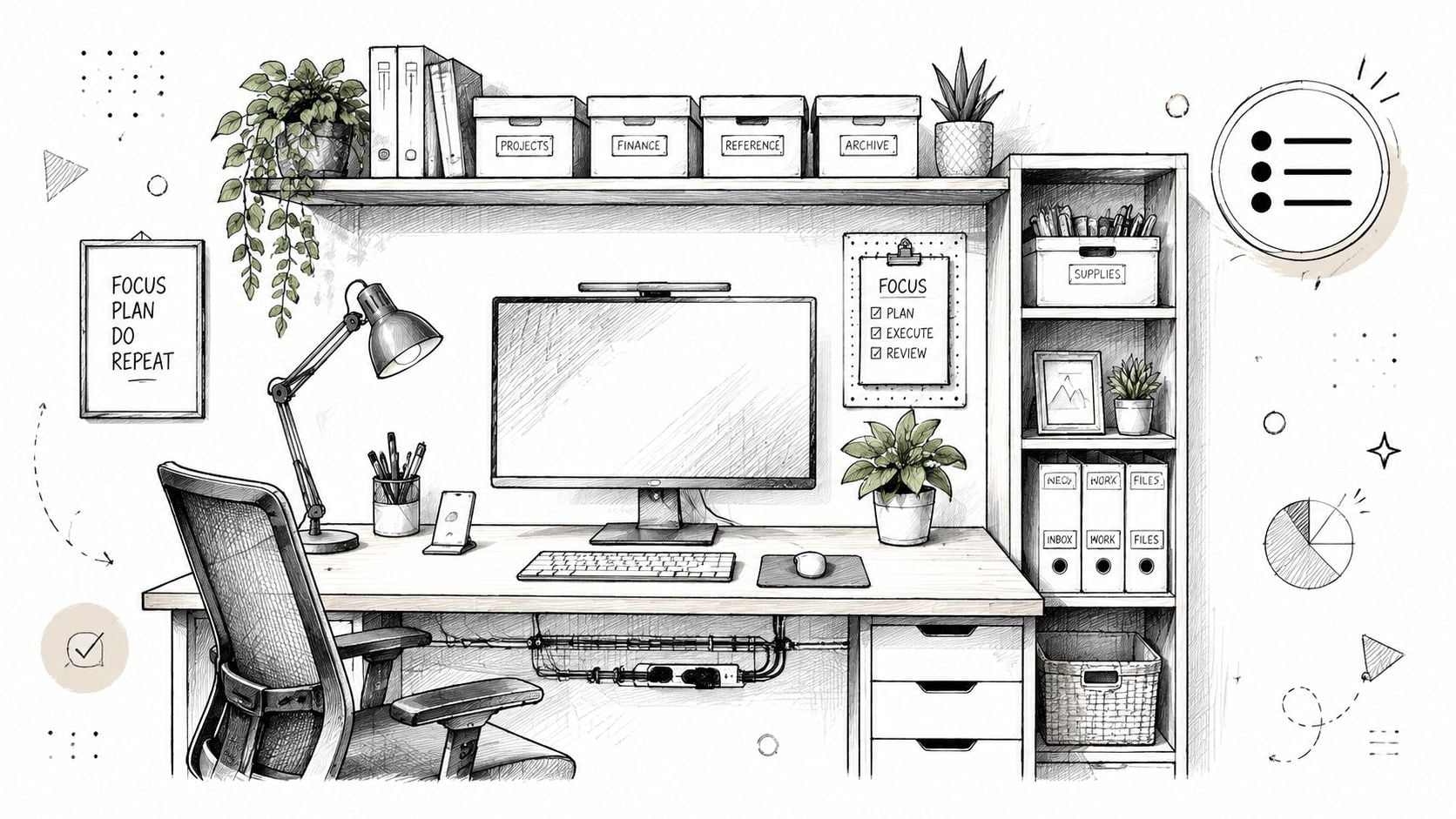
An office doesn't feel finished when the desk arrives. It feels finished when everything in the room has a place, including the things no one wants to look at. Papers, chargers, files, headphones, notebooks, and printer supplies all need homes that make sense during a real week.
That's where organization shifts from housekeeping to function. A clean-looking room is nice. A room that's easy to reset each day is better.
Storage should match the work actually happening
The best storage plan starts with categories, not furniture names. What needs to stay within arm's reach? What can go behind a door? What only needs occasional access?
A practical setup often divides storage this way:
- Daily-use items nearby: Pens, chargers, notepads, and headphones should live in a top drawer, desk organizer, or small cabinet.
- Reference materials off the desktop: Shelving or a low bookcase keeps binders and manuals accessible without stealing work surface.
- Paperwork concealed: A file drawer or cabinet helps keep personal documents protected and out of sight.
- Visual clutter reduced: Closed storage is often a better choice than open shelves for mixed-use rooms.
Personal touches matter too. A framed photo, a lamp with a warm shade, or a piece of artwork can make the room feel settled without making it busy. That's an important distinction in a home office setup. The room should feel lived in, but not crowded.
For households trying to tame overflow in shared spaces, these clutter-solving ideas are helpful for turning “miscellaneous piles” into a workable system.
Corner desks need discipline
Corner layouts are common in smaller homes because they save floor space. They can work well, but only if they're planned carefully.
Guidance for corner desk setups recommends a desktop depth of 60 to 80 cm and suggests using the deepest corner as reserve space rather than the primary monitor location. That matters because people often push the screen too far into the corner, crowd the keyboard area, and then twist awkwardly all day.
A cleaner corner setup usually follows three rules:
- Keep the primary work zone centered to the body
- Use the far corner for accessories or secondary storage
- Route cables behind the desk instead of letting them pool underneath
The tidiest office isn't the one with the fewest things. It's the one where every item is easy to reach, easy to put away, and not competing with posture.
Cable management deserves special attention. Even a few simple steps help. Attach cords along the back edge of the desk, bundle extra length out of sight, and keep the floor area clear around chair movement. That alone can make the room feel more finished and more professional.
Bringing Your Home Office Plan to Life
Once the layout is clear and the must-haves are defined, the same three questions commonly arise. Can the room be furnished without overspending? What happens if the right size or finish isn't on the floor? And where can the furniture be tested without a high-pressure sales experience?
Those are practical questions, especially in Central Maine, where people tend to buy carefully and expect furniture to last. A good plan should answer them before the first piece comes home.

Solve the big three questions
Budget comes first for many households. That doesn't mean buying the cheapest desk and hoping for the best. It means putting money where comfort, function, and durability matter most. A stable desk, a supportive chair, and useful storage usually outperform a room full of trendy extras.
That's where local buying policies make a difference:
- Real sale pricing matters: The Price Chop approach and a focus on Real Sale Prices help shoppers compare pieces without trying to decode fake markdowns.
- Financing can make better fit possible: The Nest Credit Card allows shoppers to pre-qualify without a credit score impact, which helps when spreading out the cost of a more complete setup.
- Durability still matters on a budget: A lower-cost room isn't a good value if it needs replacing too soon.
The next issue is fit. Many home offices have awkward wall lengths, shared-room constraints, or color requirements that don't match standard floor samples. That's where a custom path becomes useful. Through custom furniture options for size, style, and finish, shoppers can look beyond floor models and work toward a desk, chair, or storage solution that suits the room.
One factual local option is Northern Mattress & Furniture 1st, a third-generation family-owned retailer serving Central Maine since 1950 with showrooms in Augusta and Skowhegan. Its home office categories, custom order program, and financing options align with the kinds of decisions involved in setting up a workspace.
Why local showroom shopping still helps
Home office furniture is one of the clearest cases for seeing pieces in person. Chair comfort is hard to judge online. So is desk scale. A surface that looks spacious on a screen may feel shallow in person. A cabinet that seems compact may block a walkway once it's inside an older Maine home.
The in-store experience matters for another reason. It gives shoppers a chance to ask normal household questions.
Questions like:
- Will this desk fit under a window trim?
- Does this chair support someone who sits for long stretches?
- Can this storage piece work in a living room office corner?
- Is there a fabric or finish that hides everyday wear better?
That kind of guidance is part of what makes a no-hassle showroom valuable. It's easier to make a good decision when there's room to compare options at a steady pace. Complimentary coffee and bottled water don't decide the purchase, but they do help create a more relaxed environment for talking through a real home project.
For Central Maine households, a successful home office setup usually comes together in layers. Start with the room. Get the posture right. Add the storage that supports the work. Then refine the look so the office feels like part of the home, not a temporary fix that overstayed its welcome.
A thoughtful home office setup can make weekdays easier, protect comfort, and help a room serve more than one purpose. For anyone ready to compare desks, chairs, storage, custom options, or financing in a low-pressure setting, Northern Mattress & Furniture 1st is a practical next stop. Visit the Augusta or Skowhegan showrooms to explore real sale pricing, ask questions, and find the right fit for a Central Maine home.